What is the Google map pack?
The Google map pack (also called the local pack or the 3-pack) is a set of local business listings that Google shows alongside a map for searches with local intent, like "tree service near me" or "dentist in Wilmington." Each listing comes from a business's Google Business Profile, the free listing Google uses on Search and Maps.
A listing in the pack typically shows:
- The business name, star rating and number of reviews
- The category, rough location or service area, and hours
- Buttons to call, get directions or visit the website
Clicking "More places" (or similar) opens the full list of local results on a map. The pack itself only has room for a few businesses, which is why the spots are so competitive.
Is the map pack the same as Google Maps?
Not quite. The map pack appears inside regular Google search results. Google Maps is the separate map app and site. Both draw on the same Google Business Profile information, so the work that helps you in one usually helps you in the other.
Are the businesses in the map pack paying to be there?
No, not the regular listings. Google says plainly: "There's no way to request or pay for a better local ranking on Google." You may see ads marked "Sponsored" in or above local results. Those are paid placements, such as Google Ads or Local Services Ads, and they're separate from the organic ranking.
How does Google decide who shows up in the map pack?
Google says local results are based mainly on three factors:
- Relevance: "how well a Business Profile matches what someone is searching for." A complete, accurate profile with the right category and services helps Google understand what you do.
- Distance: "how far each business is from the customer who's searching." If someone doesn't name a location, Google uses what it knows about where they are.
- Prominence: "how well-known a business is." Google says this is based on things like how many websites link to your business and how many reviews you have, and that more reviews and positive ratings can help. In other words, your reputation across the web, not just your listing, feeds your map ranking.
That third point is the one most business owners miss. A strong Google Business Profile with a weak website, or a great website with a neglected profile, leaves results on the table. They work best as one system.
Why is the map pack important for local businesses?
For someone searching for a local service, the map pack is often the first thing they see, and they can call you straight from it without ever visiting your website. That makes it one of the most direct paths from "I need this" to a phone call.
It matters for a few reasons:
- It shows up at the moment of need. People searching "near me" or naming a town are usually ready to hire.
- It works like a shortlist. With only a few spots, being in the pack puts you in front of the customer before your competitors further down.
- It builds trust before the first call. Reviews, photos and accurate hours answer "can I trust them?" before a customer ever speaks to you.
- It feeds AI answers too. When people ask AI search tools for a local recommendation, those answers tend to lean on the same public information Google uses: your profile, your reviews and your website. Clear, consistent details help you show up in both places.
How do I get my business into the Google map pack?
There's no shortcut, but there is a clear order of work. These are the steps we follow with local clients, all based on Google's own guidance.
1. Claim and verify your Google Business Profile. Verification tells Google you're authorized to manage the listing. Google says verified businesses are "more likely to show up in search results." Keep one profile per business, since duplicates cause problems on Maps and Search.
2. Use your real business name. Google's guidelines say your name should match the one you use in the real world. Adding keywords or towns to it ("Smith Plumbing | Best Plumber Wilmington DE") breaks the guidelines and can get a profile suspended.
3. Choose your categories carefully. Your primary category is one of the strongest signals of what you do. Google recommends choosing "as few categories as possible" that are "as specific as possible, but representative of your main business."
4. Set your address or service area correctly. If customers come to you, show your address. If you travel to customers and don't serve them at your location, like many contractors and home services, Google asks you to hide your address and set a service area instead.
5. Fill in everything, and keep it accurate. Hours (including holiday hours), phone, website, services, a description and attributes. Google says businesses with complete and accurate information are more likely to show up in local results.
6. Add real photos. Your team, your work, your vehicles, your storefront. Photos show customers what to expect, and they're far more convincing than stock images.
7. Ask every customer for a review, and reply to them. Google says more reviews and positive ratings can help your local ranking. Ask everyone, not just the happy ones: Google's policies don't allow you to offer discounts or rewards for reviews, or to only ask customers you expect to be positive. Reply to reviews, good and bad. As Google puts it, replying "shows that you value their feedback," and it shows future customers there's a real person behind the business.
8. Make your website back up your profile. Your website should have the same name, address and phone number as your profile, a clear page for each main service, the towns you serve, and a fast, mobile-friendly design. Adding LocalBusiness structured data helps Google read those details. Your website is also where most links to your business point, and those links count toward prominence.
9. Keep your details consistent everywhere else. Make sure your listings on sites like Facebook, Yelp, Nextdoor and industry directories match your Google profile. Mismatched phone numbers or old addresses make it harder for Google, and for customers, to trust the information.
10. Keep it active. Update hours before holidays, add new photos, post updates and answer questions. A profile that's clearly looked after is a better experience for searchers.
What can't you control?
Distance. Google ranks results partly on how close a business is to the person searching, so you won't appear in the pack for every search across your whole region. That's normal. What you can control is how relevant and prominent your business looks within the area you actually serve.
What mistakes keep businesses out of the map pack?
- Keywords or city names stuffed into the business name
- A virtual office or mailbox used as an address (Google says these aren't eligible)
- Duplicate profiles for the same location
- Wrong or outdated hours and phone numbers
- A long gap with no new reviews, or reviews left unanswered
- A website that doesn't match the profile, or doesn't explain what you do and where
- Buying reviews or offering rewards for them, which breaks Google's policies
Where does AI fit into local search?
AI tools are changing how people search, but they still need good information to work with. A complete profile, honest reviews and a clear website give both Google and AI assistants something accurate to recommend.
We use AI as a tool in our own work, for things like research and first drafts. But choosing the right categories, writing service pages that sound like you, and keeping every listing consistent still takes people who know your business and your town. That's the work we do.
Where to start
If you're not sure how your business looks to Google right now, start with a quick check:
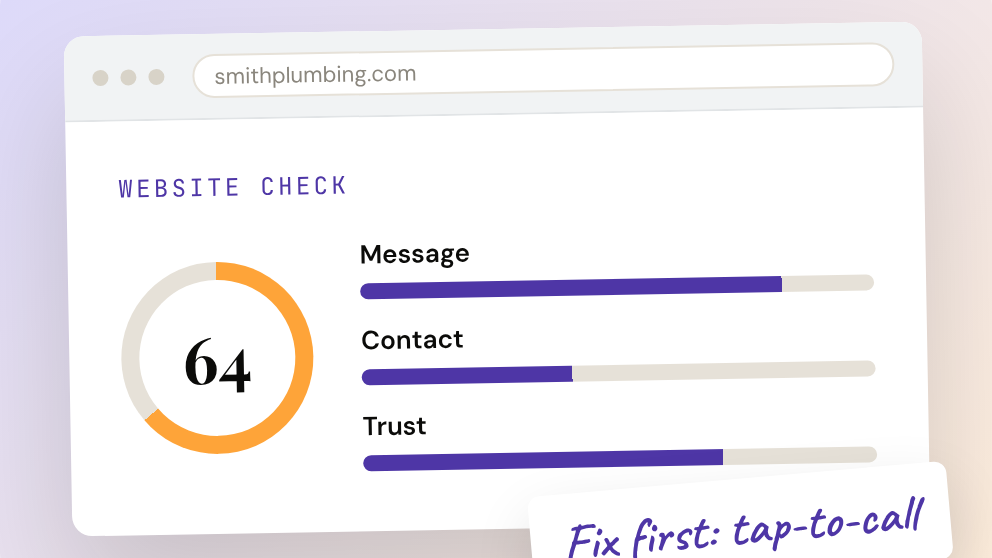
- Run the free instant website check to see how your site scores on the basics Google and AI search look for, including your business details and Google Business Profile, in about 30 seconds.
- Request a free website audit for a hand review of your site and local presence from our team.
- See how we build websites with SEO foundations, plan where to focus and run Google ads that support your listings.
Or if you'd rather talk it through, book a discovery call. We'll look at your profile with you and tell you honestly where we'd start.
Frequently asked questions
What is the Google map pack?
The Google map pack is the group of local business listings, usually three, shown with a map near the top of Google search results for local searches. The listings come from each business's Google Business Profile.
What is the difference between the map pack and the local pack?
There's no difference. "Map pack," "local pack" and "3-pack" are different names for the same set of local results.
How does Google rank businesses in the map pack?
Google says local results are based mainly on relevance (how well your profile matches the search), distance (how far you are from the searcher) and prominence (how well-known your business is, including your reviews and how many websites link to you).
Can I pay to be in the Google map pack?
No. Google states there's no way to pay for a better local ranking. Ads labeled "Sponsored" can appear near local results, but they're separate from the organic listings.
Do reviews help my map pack ranking?
Yes. Google says more reviews and positive ratings can help your local ranking. Ask every customer for an honest review, and don't offer incentives, which Google's policies don't allow.
Do I need a website to rank in the map pack?
A Business Profile can appear without a website, but Google's prominence factor includes how many websites link to your business, and customers often check your site before they call. A clear website that matches your profile makes both work harder.
Can a business without a storefront show up in the map pack?
Yes. Service-area businesses that travel to customers can have a Google Business Profile. Google asks them to hide their address and set the area they serve instead.
Why doesn't my business show up in the map pack?
Common reasons are an unverified or incomplete profile, the wrong primary category, few or old reviews, inconsistent details across the web, or simply being farther from the searcher than competitors. A free website check is a quick way to spot gaps.
How long does it take to show up in the map pack?
There's no set timeline. It depends on your competition, your location and the state of your profile and website when you start. Fixing the basics is the fastest first step.
Sources
Every claim about how Google ranks local businesses comes from Google's own pages: